A site that converts cleanly is not a different site — it is the same one, organised so that nothing depends on a web server being there. Three constraints drive every decision below: no server, a case-sensitive filesystem, and a file:// origin with browser restrictions attached.
A layout that works
my-app/
├── index.html          ← entry page, always at the root
├── pages/
│   ├── about.html
│   └── contact.html
├── css/
│   └── style.css
├── js/
│   └── app.js
├── img/
│   ├── logo.png
│   └── hero.webp
├── fonts/
│   └── inter-var.woff2
└── data/
    └── products.json
Nothing exotic — the point is that every reference between these files can be written relative to the file doing the referencing, and that the whole tree is self-contained.
Rules that matter more than the layout
1. Relative paths, always
From index.html, write css/style.css. From pages/about.html, write ../css/style.css. Both survive being packed into an app. /css/style.css may not, because there is no site root to resolve against.
2. Lowercase every filename
Android's filesystem is case-sensitive. Hero.JPG and hero.jpg are two different files there, and only one of them exists. Lowercase everything and the problem cannot occur.
3. No spaces or accents in filenames
my photo.png becomes my%20photo.png in a URL, and every layer that re-encodes it is a chance to get it wrong. Use hyphens.
4. Everything local
A Google Font, a CDN script, an external stylesheet — each is a blank space when the device is offline. For a bundled app, download them into the project. It is also faster: no DNS, no TLS handshake, no round trip.
Build tools: the settings that break bundled apps
If you use Vite, webpack, Parcel or similar, two defaults will cause trouble.
The base path. Bundlers default to absolute asset URLs (/assets/index-abc123.js), which is correct for a web server and wrong for a bundle. Set the base to relative:
// vite.config.js
export default { base: './' }

// webpack
output: { publicPath: './' }
Module output. A modern build emits <script type="module">, which does not load from file://. Either target a format that produces a classic script, or make sure the app serves your content over http://localhost rather than file://. Converters that bundle content usually do the latter — worth confirming rather than assuming.
Single-page apps and routing
A client-side router that uses the History API — /products/42 — depends on a server rewriting unknown paths back to index.html. There is no server. Deep links then 404 inside the app.
Hash routing (#/products/42) works everywhere with no server involvement, which is why it remains the right choice for bundled apps. Most routers support both; check which mode yours is in before you convert.
Storage and state
localStorage works in a WebView and persists between launches, but it is cleared when the user clears the app's data and it is not backed up. Treat it as a cache and a place for preferences, not as a database for anything the user would be upset to lose. Anything important belongs on a server.
Check the structure before you build
The fastest verification costs nothing: open your index.html directly from the file manager, not through a local server. That reproduces exactly the environment the app gives your pages.
- Does the page render styled and complete?
- Do the images appear?
- Does the console show CORS or 404 errors?
- Does navigation between pages work?
Whatever fails there will fail in the app. The validator catches the same class of problem statically, including several that are easy to miss by eye.
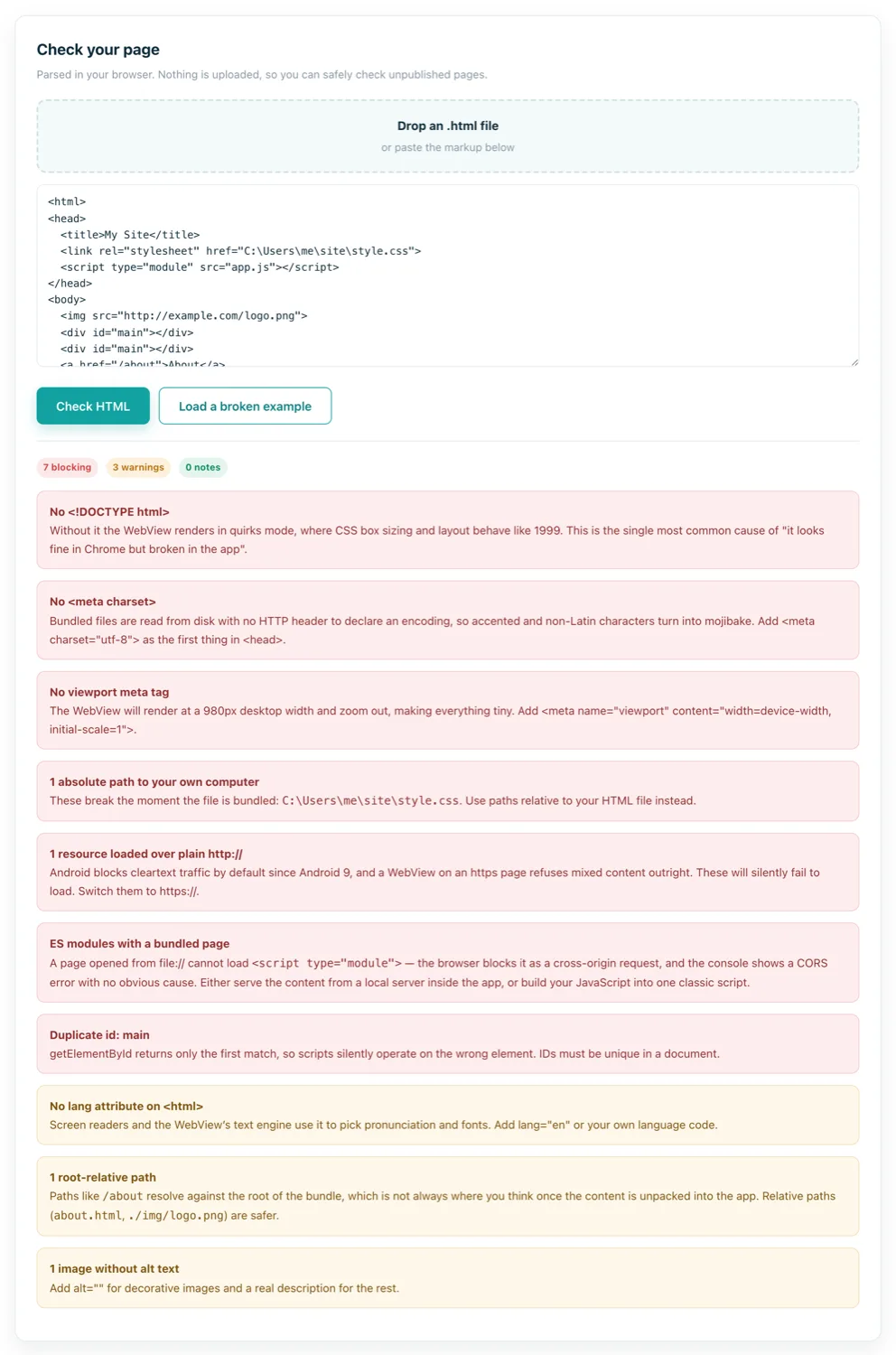
Before you package
| Check | Why |
|---|---|
index.html at the root | It is what the app opens |
| All paths relative | No site root exists inside an app |
| Filenames lowercase, no spaces | Case-sensitive filesystem |
| Fonts and libraries local | Offline pages must still render |
| Hash routing for SPAs | No server to rewrite deep links |
| Viewport meta tag present | Otherwise the WebView renders at desktop width |
| No build artefacts in the folder | Everything shipped is extractable by anyone |