A WebView app is a native Android app whose entire interface is a browser engine rendering your HTML. It is a real app — real package, real icon, real Play listing — that happens to draw its UI with web technology. The question is not whether that is legitimate. It is whether it fits what you are building.
What you get
- One codebase. The site you already maintain becomes the app. No second implementation to keep in sync.
- Changes without releases. If the app loads a live URL, updating the site updates the app for everyone, instantly, with no review queue.
- Skills you already have. HTML, CSS and JavaScript, rather than Kotlin, Compose and the Android lifecycle.
- Days, not months. A conversion is an afternoon. A native rewrite of the same product is a project.
- Small download. Roughly 4–5 MB for the wrapper.
What you give up
- The last 15% of smoothness. A WebView is fast, and for content, forms and commerce it is genuinely indistinguishable. Complex animation, gesture-driven interfaces and anything at 120fps are where it shows.
- Native platform behaviour. Material components, system share sheets, predictive back — you approximate them in CSS or do without.
- Deep device access. Bluetooth, NFC, background services, widgets, foreground location. Some are reachable through bridges; many are not.
- Startup feel. The WebView has to initialise and your page has to render, which is why splash screens matter more here than in native apps.
- Offline by default. Native apps hold their UI locally. A WebView app only does if you bundle the content.
Where each one wins
| Project | Better fit | Why |
|---|---|---|
| Content site, blog, docs | WebView | The content is the product |
| Online store | WebView | Checkout and catalogue are already web-shaped |
| Internal dashboard | WebView | Changes constantly; native releases would slow it down |
| Booking or forms | WebView | Forms are a solved web problem |
| Social feed with heavy media | Native | Scroll performance and media handling |
| Camera or AR features | Native | Direct hardware access |
| Offline-first with sync | Native | Background work and local databases |
| Game beyond casual | Native / engine | Rendering and input latency |
| Fitness or location tracking | Native | Background location is not available to a WebView |
The middle ground people forget
A WebView app is not all-or-nothing. The wrapper can add native behaviour around web content:
- Native splash screen and launcher icon.
- A bottom tab bar that switches between sections — native chrome, web content.
- Push notifications through a messaging SDK.
- Pull to refresh, offline fallback pages, hardware back-button handling.
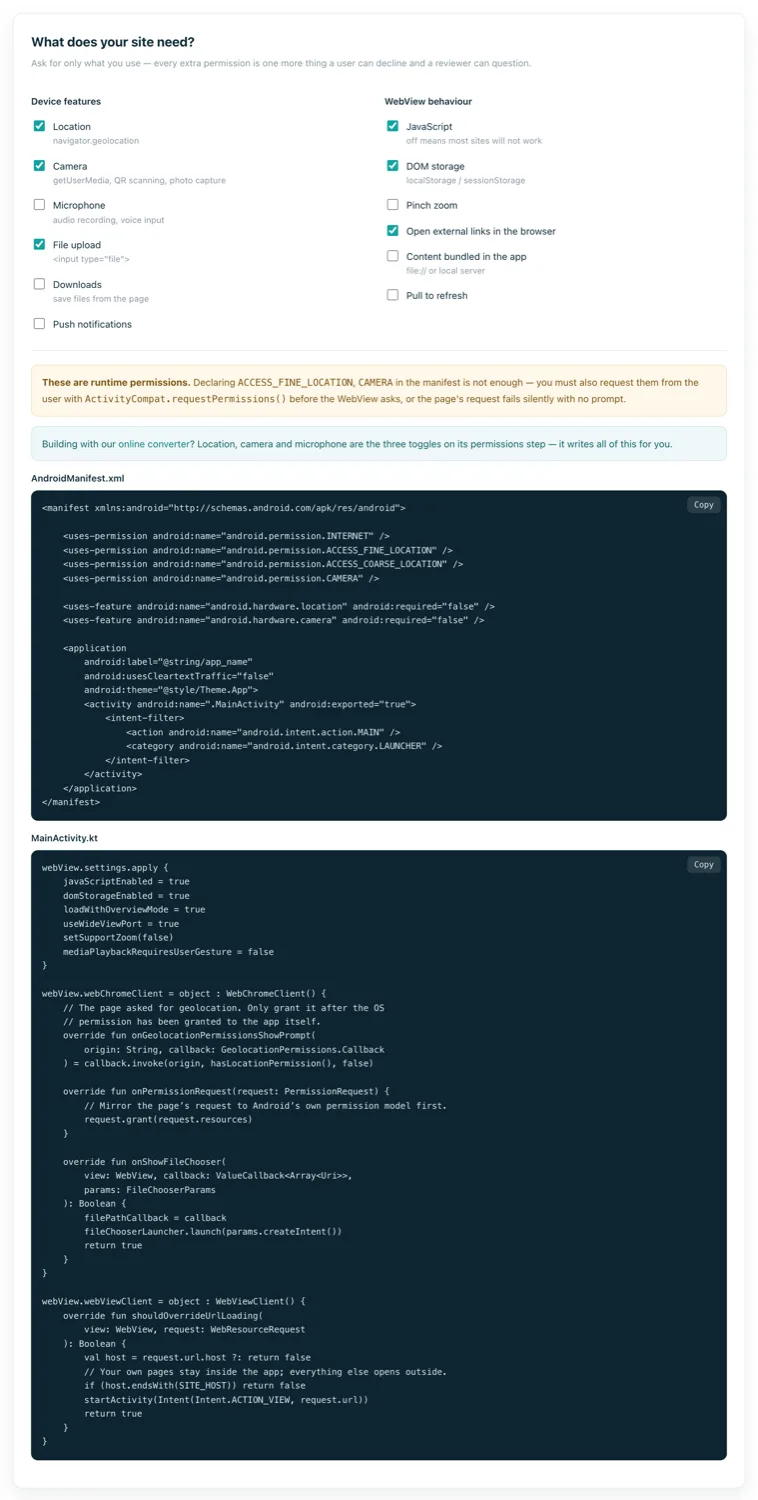
- Camera, microphone and location, granted through the WebView's permission callbacks.
That combination covers a large share of apps that would otherwise be built natively for no reason other than habit.
How to decide, honestly
Three questions settle it more reliably than any feature table.
Is the web content the product, or a placeholder?
If your website already is the thing people use, wrapping it is distribution. If the app is meant to become something the website is not, wrapping delays a rewrite you have already decided to do.
What happens when there is no signal?
If the honest answer is "the app is useless", you need bundled content or a native app with local storage. A spinner on a train is how apps get uninstalled.
Does anything need to happen while the app is closed?
Background sync, geofencing, periodic uploads — a WebView cannot do these. That single requirement is usually decisive.
On the "cheap knock-off" objection
The reputation is earned by bad examples: a URL in a wrapper, a browser error page when offline, a back button that quits, an icon that is a screenshot of a homepage. Users notice all of it.
Fix those specific things — bundle or cache content, handle the back stack, design a real icon and splash, remove every trace of browser chrome — and the objection mostly evaporates. Plenty of apps you use daily render substantial parts of their interface in a WebView, and you have never noticed. The technology is not the tell; the care is.