Every Android app carries two version fields, and confusing them is one of the most common reasons a Play Console upload is rejected.
versionName | versionCode | |
|---|---|---|
| Type | Any string | Integer |
| Who sees it | Users, on your listing | Nobody |
| Used for comparison | Never | Always |
| Example | 2.1.0, Spring update | 47 |
| Must increase | No | Yes, on every upload |
You can ship version name "1.0" with version code 63, and nothing is wrong with that. Android never reads the name; the name never reaches the update logic.
The rule that matters
Every upload to Google Play must have a higher versionCode than any you have uploaded before. Not different — higher. Play keeps the full history of codes you have used and refuses anything at or below your highest, even if that release was deleted, unpublished, or only ever went to an internal test track.
The error is "Version code N has already been used", and the only way out is upwards.
Schemes worth using
Simple increment — 1, 2, 3…
The version code is a counter and nothing more; the version name carries the meaning. Honest, impossible to overflow, and correct for most projects. Its only weakness is that the number tells you nothing on its own.
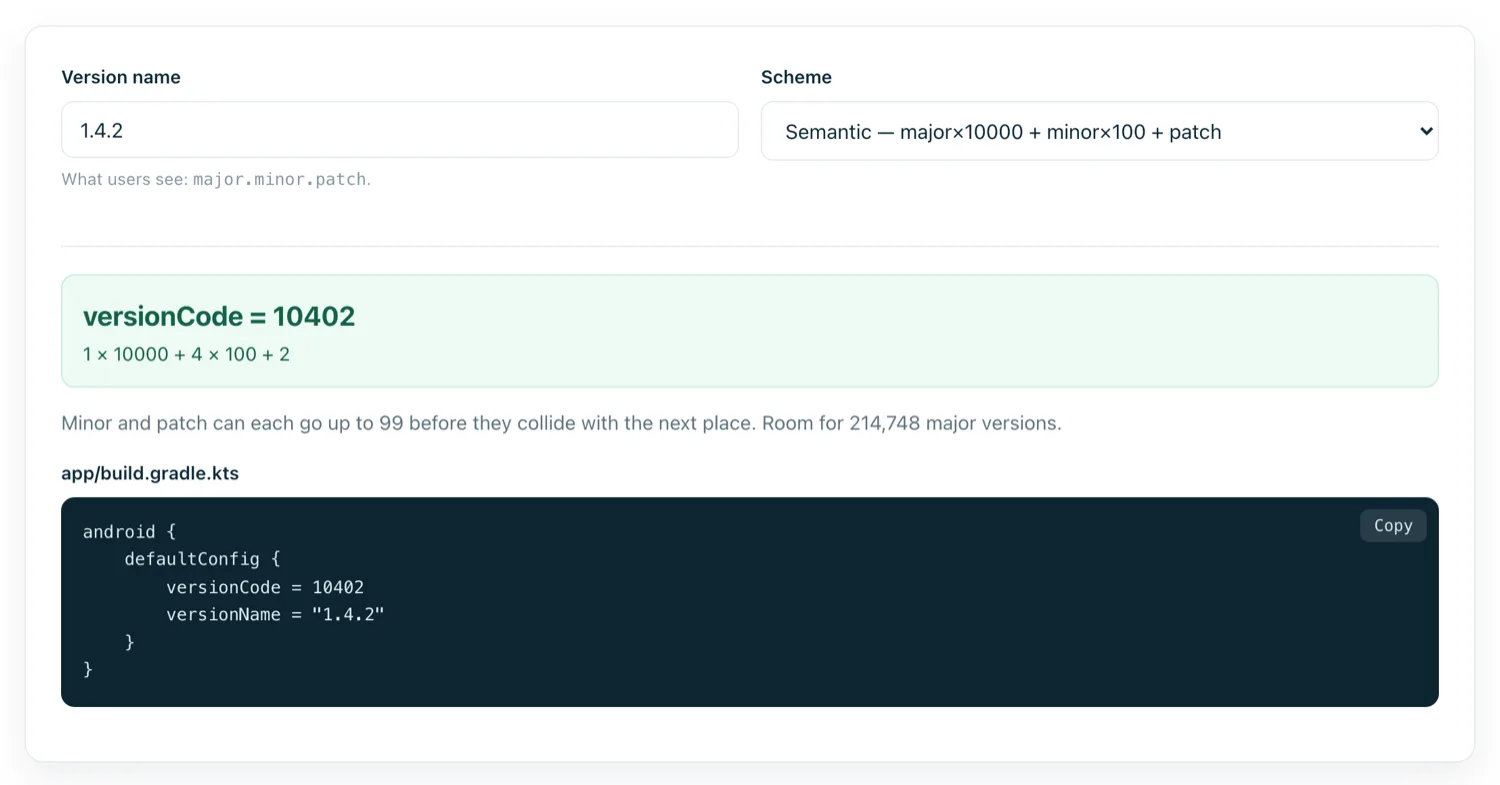
Semantic — 1.4.2 becomes 10402
major × 10000 + minor × 100 + patch. You can read the release straight off a crash report. Minor and patch each cap at 99, which is rarely a real constraint.
Date based — 260902
yyMMdd. Sortable, never resets, and tells you when a build was made. One release per day, though — two uploads on the same date collide.
Date plus build — 26090201
yyMMddBB, giving up to 100 builds a day. Common in CI. It stops working in 2042, when the number passes Play's ceiling.
The 2.1 billion ceiling
Google Play refuses any version code above 2,100,000,000, just under the signed 32-bit integer limit. That sounds impossibly distant until someone invents yyyyMMddHH, which produced 2026090214 on the day this was written — already over the limit and rejected on first upload.
Any scheme built from a four-digit year plus more than four further digits will break. Use a two-digit year, or do not encode dates at all.
What users experience
When the code goes up and the signature matches, Android treats the install as an update: app data, databases and preferences are preserved. When the incoming code is lower, the install is refused — which is why sideloading an older APK over a newer one fails with a confusing parse or downgrade error. Uninstalling first works, but wipes the app's data.
The signature part matters as much as the number. An APK signed with a different key can never update an existing install, regardless of version codes, because Android treats it as a different app wearing the same name.
Practical habits
- Bump the code in the same commit as the change, not at upload time. A number set from memory at 11pm is a number you will collide with.
- Leave gaps if you use APK splits — multiplying your logical code by 10 gives the per-ABI variants room in the units digit.
- Never reuse a code after a failed upload. Play may have recorded it; increment and move on.
- Keep the name meaningful for humans. Users read the version name in reviews and support threads; make it something you can talk about.