Almost everything about an Android app can be changed after release. The name, the icon, the description, the price, the code — all of it. The package name cannot. It is the app's identity as far as Android and Google Play are concerned, and it is fixed from your first upload until the listing is deleted.
What it is used for
- Identity on Play. Your listing URL is literally
play.google.com/store/apps/details?id=com.yourdomain.app. - Update matching. Android decides whether an install is an update or a new app by comparing package names — and then checks the signature matches.
- Isolation. Your app's private storage, preferences and databases all live under a directory named after it.
- Everything else. Deep links, permissions, crash reports, analytics, support tickets.
The syntax rules
| Rule | Fails | Works |
|---|---|---|
| At least two segments | myapp | com.myapp |
| Lowercase | com.MyApp | com.myapp |
| Segments start with a letter | com.7studio.app | com.studio7.app |
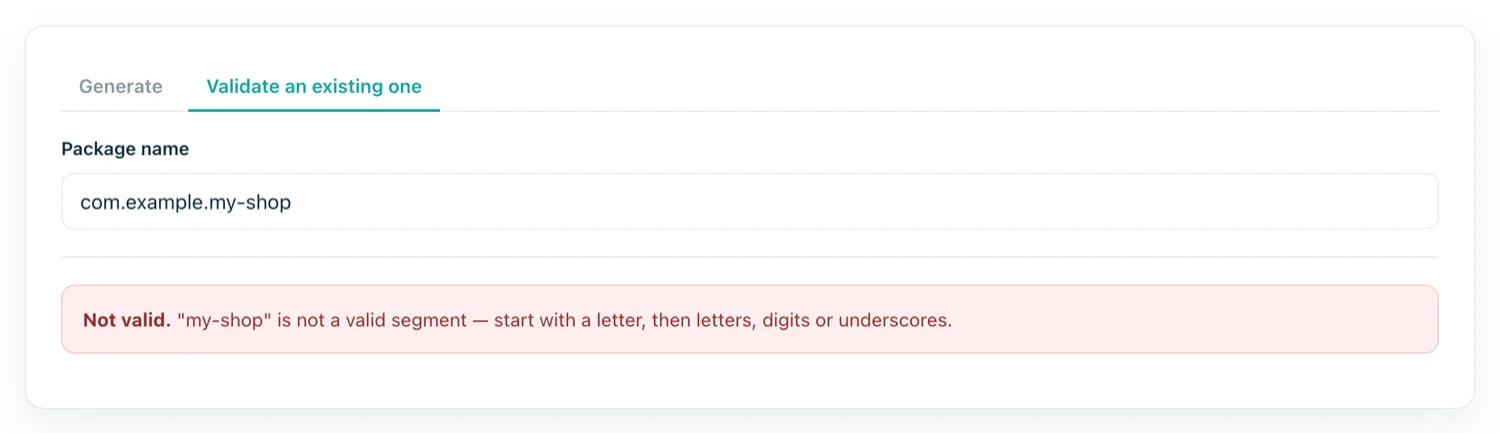
| No hyphens or spaces | com.my-app.shop | com.myapp.shop |
| No Java keywords | com.new.app | com.newapp.app |
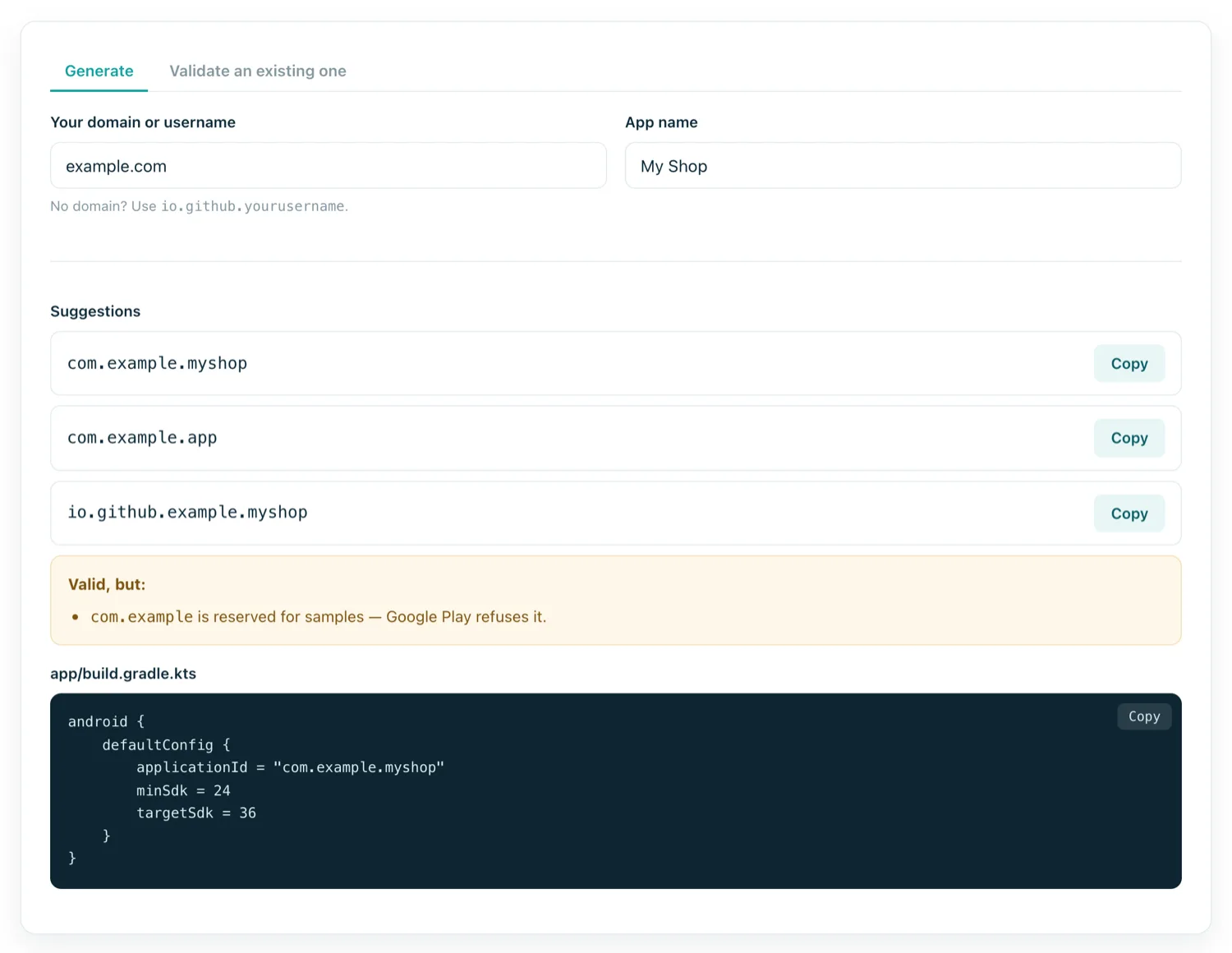
| Not the sample prefix | com.example.shop | com.yourdomain.shop |
The first five are enforced by the compiler; the last by Google Play, and it accounts for a surprising share of first-upload rejections.
Why reverse domain naming
example.com becomes com.example. The convention comes from Java packages and exists for one reason: collision avoidance. Because you control the domain, nobody else will legitimately claim that prefix, so two unrelated developers cannot both ship com.example.shop.
Nothing verifies it. No DNS lookup happens, and the app is not hosted at that domain. It is a social contract that works because everyone follows it — which is also why inventing a domain you do not own is a bad idea: if someone later registers it and publishes, you have a conflict you cannot win.
No domain? io.github.yourusername.appname borrows the uniqueness of your GitHub account and is widely accepted.
What happens when it is wrong
The validator catches syntax problems instantly, which is worth doing before a five-minute build rather than after.
The expensive mistake is not a syntax error, though. It is publishing under a name you later regret. Because the package name is permanent, changing it means:
- Creating a new Play listing from scratch.
- Zero installs, zero ratings, zero reviews — none of it transfers.
- Existing users are never migrated. They keep the old app until they manually find and install the new one.
- Your old listing must be unpublished, and the old package name can never be reused by anyone, including you.
Choosing one you will still like
- Leave room for a second app.
com.acme.appages badly;com.acme.shopandcom.acme.trackerdo not. - No years or versions.
com.acme.shop2026is permanent in a way you will not enjoy. - No platform names.
com.acme.androidappis redundant on the Play Store. - Match the brand, not the current domain. Domains change hands; the package name cannot follow.
- Keep it short. It appears in crash reports, file paths, deep links and support emails.
applicationId vs namespace
Modern Gradle separates two things that used to be one. namespace is the Kotlin/Java package your source and generated R class live in. applicationId is the identity Android and Play use. They are usually identical:
android {
    namespace = "com.acme.shop"
    defaultConfig {
        applicationId = "com.acme.shop"
    }
}
Keeping them separate is useful for one trick: giving debug builds a suffix (com.acme.shop.debug) so a development build installs alongside the release one instead of replacing it. When someone asks for your app's package name, they mean the applicationId.